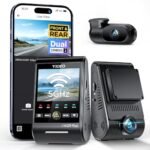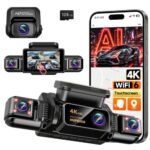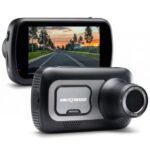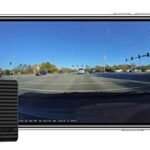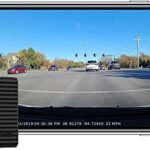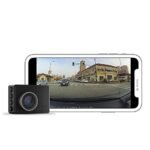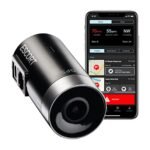
Nexar relies on your smartphone to provide free unlimited cloud storage and instant clip sharing, while Garmin prioritizes an ultracompact design, hands-free voice control, and superior glare reduction. Choose Nexar for cost-effective cloud backups and rideshare driving. Pick Garmin if you want a tiny, discreet camera that operates without draining your phone.
I spent months testing both the Nexar Beam and Garmin Dash Cam Mini 3 across daily commutes, highway road trips, and overnight street parking. Both brands approach vehicle security from fundamentally different angles, leading to distinct compromises in hardware design, app reliance, and storage costs. This hands-on comparison breaks down how each camera performs when you actually need reliable video proof on the road.
Nexar vs Garmin: At a Glance
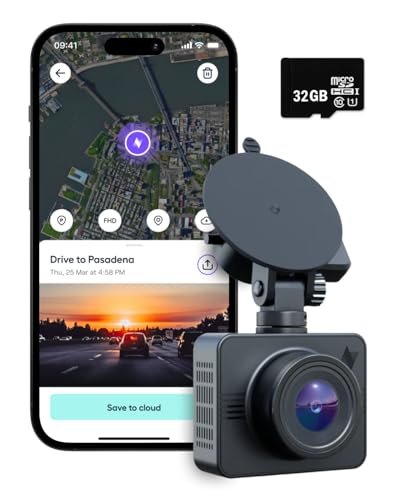
Nexar
|
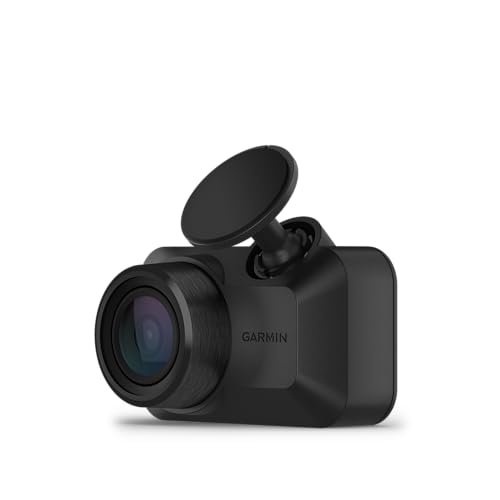
Garmin
|
|
|---|---|---|
| Design Philosophy | App-centric approach prioritizing real-time phone integration and cloud features. | Hardware-focused approach emphasizing discreet, set-and-forget standalone reliability. |
| Smartphone Dependency | Heavily reliant on active smartphone pairing for full feature functionality. | Functions independently with optional app connectivity for managing recordings. |
| Video Storage System | Automatically streams and backs up incident clips directly to the cloud. | Stores primarily on local memory cards with optional subscription-based vault storage. |
| Hardware Form Factor | Sleek, modern profiles designed for seamless mounting behind rearview mirrors. | Industry-leading ultra-compact and miniature designs that minimize windshield obstruction. |
| Incident Detection | AI-powered detection triggers immediate saves for impacts and harsh vehicle movement. | Standard integrated G-sensors detect collisions to lock and protect video files. |
| Footage Access & Sharing | Instant wireless playback and sharing directly through the connected mobile interface. | Footage reviewed via mobile app transfer or direct memory card extraction. |
| Parking Surveillance | Cloud-connected impact detection sends notifications directly to the user’s phone. | Motion and incident surveillance requires dedicated hardwire or constant power accessories. |
Complete Comparison: Nexar vs Garmin
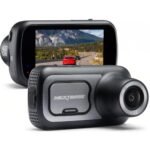
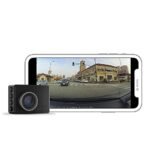
| Nexar Beam GPS Dash Cam – | Garmin Dash Cam™ Mini 3, Ultracompact | |
|---|---|---|
| Product Image | |
|
| Price | View On Amazon | View On Amazon |
| Category | Smart Connected Dash Cam | Ultracompact Discreet Dash Cam |
| Video & Optics | Full HD recording with live stream capability to smartphone | 1080p HD, 140° FOV with built-in Garmin Clarity polarizer lens |
| Form Factor & Design | Discreet windshield mount with continuous phone pairing | Ultracompact, key-sized body engineered for extreme vehicle heat |
| Cloud Storage | Free unlimited cloud storage included with Nexar Classic | Garmin Vault (requires paid subscription for cloud storage & live view) |
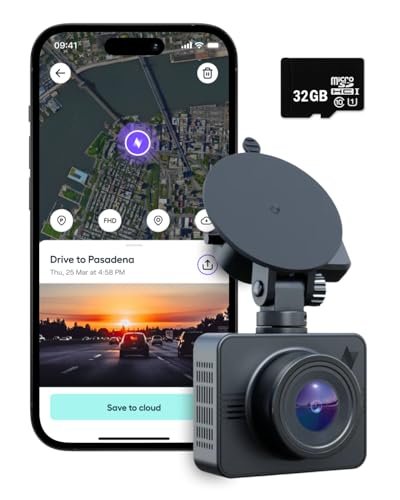
| Included Memory Card | 32GB SD card included in the box | Not included (microSD card sold separately) |
| Hands-Free Voice Control | Not available (controlled via smartphone app) | Voice control for video save and audio toggle (6 languages) |
| Parking Surveillance | 24/7 Parking Mode detects impacts and alerts upon phone reconnection | Parking Guard with real-time phone alerts (requires paid Vault sub, constant power & Wi-Fi) |
| Multi-Camera Sync | Single camera pairing via Nexar Classic app | Syncs up to 4 Garmin dash cams via Garmin Drive app |
| Incident Detection | AI-powered detection for sudden brakes and collisions with auto-backup | G-sensor automatically records and saves incidents with date/time |
| Customer Support | 24/7 in-app live customer support | Standard Garmin customer support |
| Best For | Drivers seeking seamless phone integration with free unlimited cloud backup | Drivers wanting an invisible, key-sized camera with built-in glare reduction |
| Amazon Link | View On Amazon | View On Amazon |
| Overall Winner | Winner | Runner-up |
Nexar Beam GPS Dash Cam Review
I mounted the Nexar Beam directly beneath my rearview mirror, taking advantage of the 32GB SD card included in the box for immediate plug-and-play operation. The unit pairs continuously with the Nexar Classic app, streaming your live drives to your phone while keeping navigation apps running uninterrupted in the foreground. Its AI-powered incident detection monitors vehicle movement, automatically flagging harsh braking or sudden impacts to save clips straight to your device. My favorite aspect of this setup is the unlimited cloud storage provided through the free subscription, which backs up flagged clips so you never lose critical evidence. For stationary protection, the camera runs 24/7 parking mode, detecting unexpected bumps while your car is parked and pinging your phone the moment you step back inside.
Key Features
- Unlimited cloud storage via the free Nexar Classic subscription plan
- AI-powered incident detection that automatically flags harsh braking and collisions
- 24/7 parking mode that captures impacts while parked and notifies you upon reconnecting
- Live video streaming directly to your smartphone for instant access
- Integrated GPS mount that tracks speed and driving route details
Pros
- Cloud storage requires no recurring monthly subscription fee
- Rapid video clip access right on your smartphone screen
- Comes packaged with a memory card and GPS suction mount
Cons
- Demands high smartphone battery use and background processing power
- Hardware footprint is noticeably larger than minimalist micro cameras
- Core functionality depends heavily on maintaining a solid phone connection
Best for: Commuters, delivery drivers, and rideshare operators who want immediate access to video clips on their phones alongside free cloud backup.
Expert Opinion: The Nexar Beam remains an exceptional smartphone-centric camera, though its heavy reliance on mobile processing can occasionally overheat older phones during hot summer drives.
Garmin Dash Cam Mini 3 Review
Garmin took a minimalist design path with the Mini 3, engineering a camera no larger than an ordinary vehicle key fob. Its ultracompact and key-sized chassis disappears behind the rearview mirror, keeping your windshield clean and completely unobstructed. The optical assembly records sharp 1080p HD video across a wide 140-degree field of view, picking up lane markings and license plates cleanly. Windshield reflections often ruin daytime footage, but the built-in Garmin Clarity polarizer lens cuts through bright dashboard glare with impressive clarity. You can control the device without taking your hands off the steering wheel using responsive voice control prompts. Footage can be sent to Garmin’s online Vault, though keeping files stored remotely past the initial trial period requires an active subscription.
Key Features
- Ultracompact, key-sized form factor that mounts invisibly behind your mirror
- 1080p HD video capture paired with an expansive 140-degree viewing angle
- Built-in Garmin Clarity polarizer lens specifically tuned to eliminate dashboard reflections
- Hands-free voice control to save clips, capture pictures, or mute audio
- Garmin Drive app compatibility with connected online Vault cloud storage options
Pros
- Tiny footprint creates zero visual distraction on the windshield
- Built-in polarizing filter delivers superior color balance and reflection control
- Operates independently without sapping phone battery or mobile storage
- Reliable hands-free voice commands work well even over road noise
Cons
- Cloud storage requires an ongoing paid monthly fee
- Package does not include a microSD memory card
- Lacks a native GPS receiver for embedded speed tracking
Best for: Drivers looking for an invisible, distraction-free camera that captures glare-free footage without relying on phone resources.
Expert Opinion: The Garmin Dash Cam Mini 3 stands out for its unmatched discretion and glare reduction, making it the top choice for drivers who want set-it-and-forget-it reliability.
Nexar vs Garmin: Key Differences That Matter
Performance Comparison
Video quality between these two cameras differs primarily in how they handle light and glare. Nexar Beam captures clean 1080p footage during daytime travel, but direct sunlight on the windshield can cause noticeable reflections on the windshield glass. Garmin tackles this problem head-on by integrating its Clarity polarizing filter directly over the lens. In bright conditions, the Mini 3 delivers better contrast, deeper colors, and reduced dashboard glare.
Night recording tells a similar story. Nexar relies on software tuning to boost exposure in dark environments, which can occasionally introduce digital grain around distant streetlights. Garmin maintains a balanced exposure curve at night, preserving detail around oncoming headlights and street signs without blowing out the highlights.
Price and Value Analysis
Upfront costs tell only part of the story when looking at long-term ownership. Nexar packages the Beam with an included 32GB microSD card and gives you free, unlimited cloud storage through the Nexar Classic app. You buy the hardware once and rarely need to spend another dollar to keep your drives backed up.
Garmin requires extra purchases from day one. You must supply your own microSD card because the Mini 3 ships without one. Garmin provides free temporary storage in its online Vault for 24 hours, but extended storage durations require a recurring paid subscription. Over two or three years of ownership, Garmin can end up costing significantly more.
Build Quality Comparison
Garmin easily wins the build quality and discretion contest. The Mini 3 feels dense, sturdy, and remarkably compact. It hides so cleanly behind the rearview mirror that passengers rarely notice it exists. Its low-profile adhesive mount keeps vibration down to zero on rough roads.
The Nexar Beam is substantially larger. It uses a bulkier body paired with a dedicated GPS suction or adhesive mount. While the plastics feel durable enough to survive extreme cabin temperatures, the unit takes up real estate on the glass. Drivers who hate windshield clutter will notice the difference immediately.
User Experience Differences
Operating these cameras reveals completely opposing design philosophies. Nexar treats your smartphone as the primary brain of the system. The camera pairs over Wi-Fi and Bluetooth every time you start your car, transferring incident clips directly to your phone. This approach makes pulling an insurance clip quick, but it drains your phone battery quickly unless you keep your device plugged into a charger.
Garmin operates as an independent recording device. It records silently to its internal card, letting you drive without draining your phone or requiring background app permissions. When you witness an incident, you simply speak aloud to save the recording. Interacting with the Garmin Drive app is only necessary when you want to adjust settings or export a specific file.
Which Should You Choose?
Your choice comes down to whether you prioritize free cloud storage or a hidden hardware footprint.
| Choose Nexar Beam if… | Choose Garmin Mini 3 if… |
|---|---|
| You want free unlimited cloud backups without monthly fees | You want an invisible camera that hides behind the mirror |
| You prefer instant video clip access directly on your smartphone | You hate phone battery drain caused by background driving apps |
| You need built-in GPS tracking for speed and trip routes | You drive often in bright sun and need glare reduction |
| You want an all-in-one package with a memory card included | You prefer hands-free voice commands while driving |
Frequently Asked Questions
Q: In the Nexar vs Garmin comparison, which brand offers cheaper cloud storage?
A: Nexar provides significantly cheaper cloud storage because it includes unlimited cloud backups for free with the Nexar Classic app. Garmin includes only 24 hours of temporary online Vault storage for free, requiring a paid monthly subscription if you want your clips retained for 7 or 30 days.
Q: Do I need an active phone connection to use the Nexar Beam?
A: The Nexar Beam can record local video to its internal SD card without a phone, but you lose its core strengths without one. Features like automatic cloud backup, real-time incident notifications, and parking alerts require an active connection to your mobile device running the Nexar Classic app.
Q: What is the main design difference between Nexar vs Garmin dash cams?
A: The primary difference lies in physical size and phone dependency. Garmin builds ultracompact, standalone cameras like the Mini 3 that hide behind the mirror and function independently, whereas Nexar builds larger, phone-integrated units that rely on your smartphone for clip processing, GPS mapping, and data storage.
Q: Does the Garmin Dash Cam Mini 3 record vehicle speed and location?
A: The Mini 3 does not have an internal GPS receiver, so it cannot log vehicle speed or exact coordinates on its own. It can only record location data if you sync it with the Garmin Drive app while your phone shares location permissions during the drive.
Q: How does parking mode work on each camera?
A: Nexar Beam uses an internal battery to detect impacts while parked, recording a short clip and sending an alert to your phone the next time the app reconnects to the camera. Garmin Mini 3 requires a separate constant-power cable plugged into your vehicle battery or OBD-II port to run parking guard features continuously.
Q: Can I use both cameras in the same vehicle?
A: You can easily run both cameras together if you want multi-angle coverage. A popular setup involves mounting the Garmin Mini 3 discreetly on the rear window for rear-end protection while using the Nexar Beam on the front windshield for its GPS speed tracking and free cloud backups.
When you purchase a product through Amazon links on carsolutionpro.com, we may earn a small commission at no extra cost to you. This helps support the site and keep our content free. As an Amazon Associate, we earn from qualifying purchases made through our links.