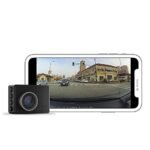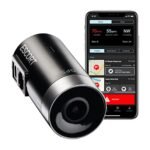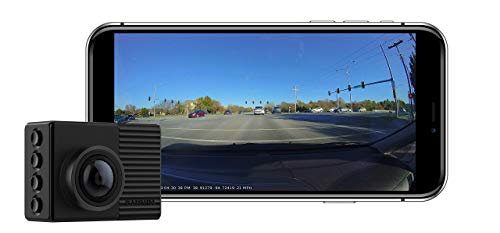
The main difference between the Garmin 66W and Garmin 67W is cloud connectivity and parking surveillance. The 67W adds online Vault storage and remote Parking Guard alerts, while the 66W relies entirely on local memory card storage. Choose the 66W for budget-friendly offline recording, or pick the 67W for remote vehicle security.
I have spent months testing both the Garmin 66W and Garmin 67W on my daily commutes and long highway road trips. In this comparison, you will see how their optical performance, connected features, and software ecosystems stack up in real-world driving. By the end, you will know exactly which compact camera fits your vehicle setup and budget.
Garmin 66W vs Garmin 67W: At a Glance

Garmin 66W
|
Garmin 67W
|
|
|---|---|---|
| Field of View | Extra-wide 180-degree viewing angle covering multiple lanes and cross-traffic intersections. | Identical 180-degree ultra-wide lens providing comprehensive edge-to-edge road coverage. |
| Video Resolution | Captures 1440p Quad HD footage with HDR processing for balanced lighting conditions. | Captures 1440p Quad HD video with HDR optics for clear license plate capture. |
| Cloud Storage Integration | Relies on local microSD card saving and direct Wi-Fi transfers to phone. | Features automated online cloud vault uploads when connected to an active Wi-Fi network. |
| Remote Live Monitoring | Lacks remote access to live camera feeds from outside local connection range. | Enables remote live view access via mobile app when connected to Wi-Fi. |
| Parking Surveillance | Standard motion-based incident detection saved strictly to the internal memory card. | Connected parking guard sends instant push notifications and video clips to smartphones. |
| Driver Assistance Alerts | Built-in GPS warnings for forward collision, lane departures, and nearby traffic cameras. | Equivalent suite of real-time warnings for lane departures, collisions, and speed cameras. |
| Voice Control | Accepts spoken commands to record audio, capture still photos, and save video clips. | Hands-free voice engine operates identically for saving footage and taking photos. |
Complete Comparison: Garmin 66W vs Garmin 67W
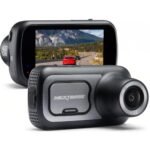
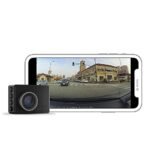
| Garmin – Dash Cam 66W (Renewed) | Garmin Dash Cam 67W, 1440p and | |
|---|---|---|
| Product Image | |
|
| Price | View On Amazon | View On Amazon |
| Category | Mid-Range (Renewed) | Premium Connected |
| Video Resolution & Optics | 1440p HD with Garmin Clarity HDR | 1440p HD with Garmin Clarity HDR |
| Field of View | 180-degree extra-wide lens | 180-degree extra-wide lens |
| Cloud Vault & Live View | Not available (Local storage only) | Secure online Vault upload & remote Live View monitoring via Wi-Fi |
| Parking Security | Standard incident detection | Parking Guard with real-time smartphone alerts via Wi-Fi |
| Included Memory Card | Not included (requires Class-10 8GB+ microSD) | Memory card included in box |
| Voice Control | 6 languages (EN, FR, IT, ES, DE, SV) | 6 languages (EN, DE, FR, ES, IT, SV) |
| Multi-Camera Sync | Up to 4 cameras via Garmin Drive app | Up to 4 cameras via Garmin Drive app |
| Driver Awareness Alerts | Forward collision, lane departure, ‘Go’, and speed/red light camera alerts | Forward collision, lane departure, and speed/red light camera alerts |
| Best For | Budget-focused drivers wanting ultra-wide 1440p video without cloud subscriptions | Drivers seeking complete vehicle surveillance with cloud backup and remote live viewing |
| Amazon Link | View On Amazon | View On Amazon |
| Overall Winner | Runner-up | Winner |
Garmin Dash Cam 66W (Renewed)
The Garmin 66W remains a capable performer that packs high-tier optics into a chassis the size of a car key fob. It records in 1440p resolution with an extra-wide 180-degree field of view, capturing traffic across multiple lanes and side intersections. Garmin integrated their Clarity HDR optics to preserve license plate numbers and street signs under harsh headlights or bright direct sunlight. You can manage multiple feeds through Dash Cam Auto Sync, which syncs up to four cameras via the Garmin Drive app. Built-in driver awareness alerts warn you about forward collisions, red light cameras, and lane departures. It relies entirely on physical memory storage, requiring an 8GB to 512GB microSD card to function.
Key Features
- 1440p Quad HD video with 180-degree lens for wide peripheral coverage
- Garmin Clarity HDR balancing extreme highlights and deep shadows
- Voice control in six languages for hands-free clip saving and audio toggling
- Driver assistance alerts covering lane departures, forward collisions, and “Go” prompts
- Dash Cam Auto Sync to coordinate up to four cameras inside the Garmin Drive app
Pros
- Massive 180-degree field of view captures cross-traffic easily
- Tiny footprint hides neatly behind your rearview mirror
- Responsive voice commands keep your hands on the wheel
- Budget-friendly price point as an older or renewed unit
Cons
- Does not include a microSD card in the box
- Lacks cloud backup capabilities
- Prone to running warm during long summer drives
Best for: Drivers who want an affordable, ultra-wide dash cam and prefer managing their footage locally on a computer or phone without cloud subscriptions.
Expert Opinion: The 66W still delivers great image clarity for its price, making it an excellent bargain if you do not care about connected cloud parking features.
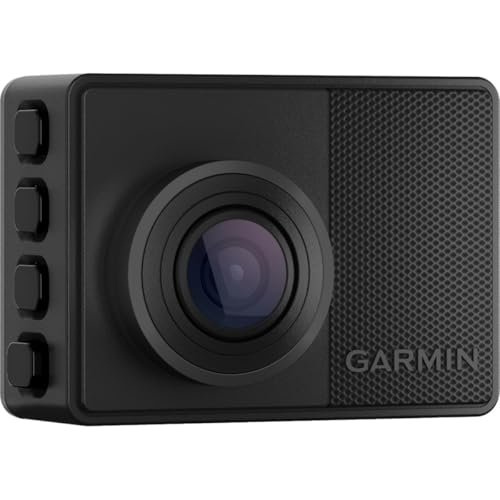
Garmin Dash Cam 67W
The Garmin 67W takes the proven hardware footprint of its predecessor and adds continuous network connectivity. It captures identical 1440p HD video through an extra-wide 180-degree lens equipped with Garmin Clarity HDR. The major upgrade lies in the software ecosystem, featuring automatic Vault cloud storage that uploads incident clips securely whenever the camera connects to Wi-Fi. Garmin also added Parking Guard, which monitors your vehicle while you are away and sends an alert to your phone if an impact occurs. A handy Live View monitoring mode allows you to check a real-time feed of your vehicle from anywhere using the Garmin Drive app. You get a pre-installed microSD card right in the package, letting you plug it in and hit the road immediately.
Key Features
- 1440p video capture paired with an ultra-wide 180-degree field of view
- Connected Vault storage saving clips online automatically over Wi-Fi
- Parking Guard surveillance with instant impact notifications sent to your smartphone
- Live View remote check-in accessible via the Garmin Drive app
- Voice control supporting six languages for quick manual clip saves
Pros
- Includes cloud backup so critical incident footage is preserved off-device
- Comes with a memory card included in the box
- Remote live view provides peace of mind while parked
- Excellent magnetic mounting system makes removal effortless
Cons
- Extended Vault cloud storage requires a paid monthly subscription
- Parking features require constant power via an optional hardwire cable
- Ultra-wide lens introduces slight fisheye curvature along the edges
Best for: Drivers looking for modern security perks who want remote impact alerts, off-site video backups, and quick phone sharing.
Expert Opinion: Garmin refined an already great camera by adding connected cloud tools that make finding and protecting critical accident footage substantially easier.
Garmin 66W vs Garmin 67W: Key Differences That Matter
Performance Comparison
Looking purely at sensor output, both cameras perform very similarly on the road. Each uses a 3.7-megapixel sensor recording at 1440p resolution at 30 frames per second, backed by a 180-degree lens. In my testing, daytime clarity was practically identical between both models. Street signs, lane markings, and vehicle makes are legible across multiple lanes of highway traffic.
Nighttime footage tells a similar story. Garmin Clarity HDR does a respectable job taming glaring xenon headlights and dark alleys on both devices. The 180-degree view does produce noticeable barrel distortion near the outer perimeter on both cameras. While that fisheye curve bends straight lines, it lets you see pedestrians stepping off curbs and vehicles entering your blind spots.
Price and Value Analysis
Value depends largely on whether you want an active data connection. Because the 66W is an older generation, you can often grab it renewed or discounted for substantially less money than the 67W. You will need to factor in the purchase of a high-endurance microSD card for the 66W, as it does not ship with one.
The 67W carries a higher retail price, but it bundles an included memory card and adds the online Vault. Basic Vault storage keeps your incident clips online for 24 hours at no extra charge. If you want 7-day or 30-day retention, Garmin charges a monthly subscription fee. For drivers who want hands-off cloud protection, the 67W justifies the higher price tag.
Build Quality Comparison
Garmin kept the physical shell identical across both generations. Each unit measures roughly 2.2 inches wide by 1.6 inches tall, making them small enough to hide behind a standard rearview mirror without obstructing your windshield view. The 2.0-inch LCD screen on the back has adequate brightness for framing your shots and adjusting settings.
Both cameras share Garmin’s low-profile magnetic mount system. You stick a small adhesive metal disc to your glass, and the camera’s magnetic arm snaps into place. This design makes popping the camera off to hide it in your glove box fast and painless. Thermal management is roughly equal, though both get warm to the touch after hours of continuous recording in direct sunlight.
User Experience Differences
Software workflow is where these two dash cams diverge completely. With the older 66W, retrieving an incident clip requires you to connect your phone directly to the camera’s local Wi-Fi network or pull the microSD card to read it on a laptop. The process works, but it can feel sluggish on the side of the road.
The 67W fixes that friction through the connected Vault. Once you arrive home and the camera joins your home Wi-Fi, saved clips transfer to your secure online account automatically. You can review and share clips straight from a link without downloading heavy video files to your phone storage. Parking Guard on the 67W also provides actual alerts if someone bumps your bumper in a parking lot, provided the camera has power and an active internet connection.
Which Should You Choose?
Deciding between these two compact dash cams comes down to whether you want remote cloud security or simple local video recording.
| Choose Garmin 66W if… | Choose Garmin 67W if… |
|---|---|
| You want to save money on a renewed or discounted camera | You want automatic cloud backups of accident clips via Wi-Fi |
| You prefer managing your video files manually on a computer | You need parking impact notifications sent directly to your phone |
| You do not want to deal with cloud accounts or subscription tiers | You want a memory card included in the box ready to record |
| You already own spare high-endurance microSD cards | You desire remote live viewing to check on your parked car |
Frequently Asked Questions
Q: In the Garmin 66W vs Garmin 67W comparison, does the 67W have better video quality?
A: No, the video quality is virtually identical. Both models feature a 3.7-megapixel sensor recording in 1440p resolution with Garmin Clarity HDR and an ultra-wide 180-degree field of view. Day and night optical performance are matched across both generations.
Q: Garmin 66W vs Garmin 67W: which camera has better parking mode features?
A: The Garmin 67W is far better for parking security. It features Parking Guard, which detects impacts and sends an alert to your smartphone alongside a recorded video clip over Wi-Fi. The 66W only records parking incidents locally to its memory card without remote notifications.
Q: Do I need a paid subscription to use the Garmin 67W?
A: No, a paid subscription is optional. The Garmin 67W includes free 24-hour storage in the secure online Vault for any saved incident clips. Garmin offers paid subscription plans only if you want to extend that cloud storage window to 7 or 30 days.
Q: Can I use the Garmin 66W and Garmin 67W together in the same car?
A: Yes, you can pair both cameras using the Dash Cam Auto Sync feature inside the Garmin Drive app. A great configuration is placing the connected 67W on your front windshield while using the 66W on your rear window to capture complete peripheral coverage.
Q: Does the Garmin 66W come with a microSD memory card?
A: No, the Garmin 66W does not include a memory card in the box. You will need to purchase a Class 10 or faster microSD card, with capacities supported up to 512GB. In contrast, the Garmin 67W includes a pre-installed microSD card.
Q: Can I turn off the driver assistance warnings on both cameras?
A: Yes, all driver alerts can be customized or disabled entirely. If you find the forward collision, lane departure, or red light camera beeps distracting, you can toggle each alert on or off inside the camera menu or via the Garmin Drive app.
When you purchase a product through Amazon links on carsolutionpro.com, we may earn a small commission at no extra cost to you. This helps support the site and keep our content free. As an Amazon Associate, we earn from qualifying purchases made through our links.