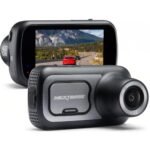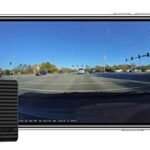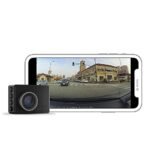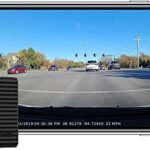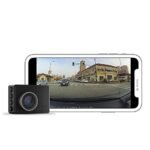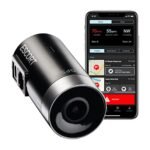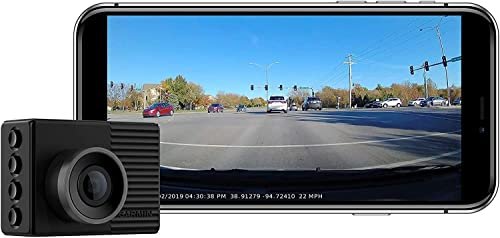
The main difference comes down to cloud connectivity and parking surveillance. While both capture 1080p video at 140 degrees, the Garmin 47 adds automated Vault cloud storage and remote Live View monitoring. Pick the Garmin 46 for simple local recording on a budget, or choose the Garmin 47 if you want real-time connected parking security.
I spent months mounting both cameras on my windshield across daily commutes and long highway trips. While they look almost identical on the glass, their software features diverge once you step out of the car. Here is my breakdown of how these two compact dash cams compare in day-to-day driving.
Garmin 46 vs Garmin 47: At a Glance
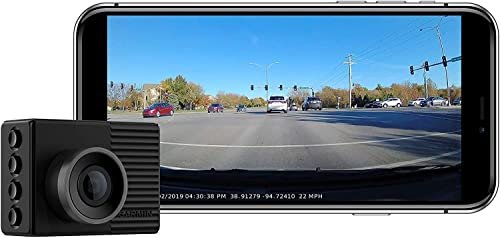
Garmin 46
|
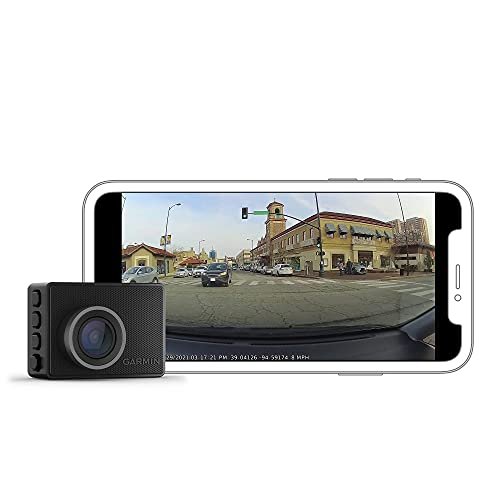
Garmin 47
|
|
|---|---|---|
| Video Resolution & FOV | 1080p Full HD recording across a 140-degree wide-angle view. | 1080p Full HD recording across a 140-degree wide-angle view. |
| Cloud Storage Integration | Local microSD storage only; manual downloads via direct mobile Wi-Fi connection. | Automated online cloud vault backup for saved video clips via Wi-Fi. |
| Remote Live View | Unavailable; requires direct local Wi-Fi pairing to view camera footage. | Supports live streaming from anywhere when connected to an active Wi-Fi network. |
| Parking Surveillance | Standard motion and impact detection recorded locally with dedicated hardwire cable. | Smart parking guard with connected remote notification alerts to your smartphone. |
| Incident Detection & GPS | Built-in GPS tags location and speed, with automatic sensor-triggered crash recording. | Built-in GPS tags location and speed, with automatic sensor-triggered crash recording. |
| Voice Command Capability | Hands-free spoken prompts to save footage, capture photos, or toggle audio. | Hands-free spoken prompts to save footage, capture photos, or toggle audio. |
| Driver Assistance Alerts | Integrated forward collision, lane departure, and red light camera warnings. | Integrated forward collision, lane departure, and red light camera warnings. |
Complete Comparison: Garmin 46 vs Garmin 47
| Garmin Dash Cam 46, Wide 140-Degree | Garmin G010-N2505-00 Dash Cam 47 1080p | |
|---|---|---|
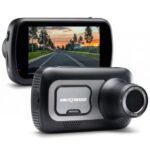
| Product Image | |
|
| Price | View On Amazon | View On Amazon |
| Category | Mid-Range Dash Cam | Mid-Range Dash Cam |
| Video Resolution | 1080p Full HD | 1080p Full HD |
| Field of View | 140-degree wide angle | 140-degree wide angle |
| Display | 2.0-inch LCD screen | 2.0-inch LCD screen |
| GPS & Incident Detection | Automatic incident detection with GPS logging | Automatic incident detection with GPS logging |
| Cloud Storage & Connectivity | Local microSD storage with Garmin Drive App sync | Garmin Vault cloud storage & Live View remote monitoring |
| Voice Control | Supported (English, French, Italian, Spanish, German, Swedish) | Supported (Spoken voice commands) |
| Driver Assist Alerts | Forward collision, lane departure, ‘Go’ alerts & speed camera alerts | Forward collision, lane departure, ‘Go’ alerts & speed camera alerts |
| Multi-Camera Sync | Syncs up to 4 cameras via Garmin Drive app | Syncs up to 4 cameras via Garmin Drive app |
| Condition | Certified Refurbished | Certified Refurbished |
| Best For | Everyday drivers wanting reliable, compact 1080p video with driver alerts | Drivers seeking modern connected features like cloud storage and live monitoring |
| Amazon Link | View On Amazon | View On Amazon |
| Overall Winner | Runner-up | Winner |
Garmin Dash Cam 46 Detailed Review
The Garmin Dash Cam 46 remains a benchmark for tiny, reliable windshield hardware. Its discreet body hides neatly behind a rearview mirror while recording crisp 1080p HD video across a 140-degree field of view. Built-in GPS and automatic incident detection lock down crash footage with accurate timestamps and location data. Drivers can issue hands-free prompts through responsive voice control in several languages to capture still photos or start Travelapse clips. Through the Garmin Drive app, the Dash Cam Auto Sync system lets you link up to four cameras for multi-angle coverage without complex wiring. It relies entirely on local micro SD card storage, keeping operation straightforward and self-contained.
Key Features
- 1080p HD resolution paired with a wide 140-degree viewing angle
- Automatic incident detection with integrated GPS tagging
- Voice control supporting six languages for hands-free clip saving
- Driver awareness alerts including forward collision and lane departure
- Dash Cam Auto Sync to coordinate four cameras via the Garmin Drive app
Pros
- Extremely tiny footprint that stays out of your line of sight
- Reliable physical buttons for quick menu adjustments
- Zero subscription fees required to keep your footage
Cons
- Micro SD card is not included in the package
- Lacks native cloud backup and remote live streaming
Best for: Budget-conscious drivers who want a discreet, set-and-forget camera without ongoing cloud costs or remote app notifications.
Expert Opinion: It does the fundamentals exceptionally well, delivering crisp incident capture without forcing you into an app ecosystem every week.
Garmin Dash Cam 47 Detailed Review
Garmin introduced the Dash Cam 47 to modernize its compact lineup with connected vehicle security. It retains the same miniature shell, recording crisp 1080p resolution across a balanced 140-degree lens. The big shift arrives with Garmin Vault cloud storage, which automatically uploads saved incident clips whenever the unit connects to Wi-Fi. Pairing the camera with an active connection also enables Live View monitoring, letting you check in on your parked vehicle from anywhere using your phone. The built-in Parking Guard feature constantly watches for impacts and sends immediate alerts to the mobile app if someone bumps your bumper. Voice commands and driver assistance warnings remain on board, rounding out a connected surveillance tool.
Key Features
- Connected Garmin Vault for automatic online video backup
- Live View remote monitoring accessible via smartphone with Wi-Fi
- Parking Guard impact alerts sent directly to your phone
- 1080p HD video and 140-degree optics with GPS logging
- Hands-free voice control and advanced driver assist alerts
Pros
- Instant cloud backup protects footage if the camera gets stolen
- Remote parking alerts provide peace of mind in busy lots
- Retains the ultra-compact, discreet physical design
Cons
- Extended cloud clip retention requires a paid monthly plan
- Remote features require continuous parking power and an active Wi-Fi connection
Best for: Urban commuters and street parkers who want real-time phone alerts and cloud protection against vandalism or parking lot dings.
Expert Opinion: The upgraded connected features justify the price jump if you regularly park in vulnerable spots where local SD card storage alone feels risky.
Garmin 46 vs Garmin 47: Key Differences That Matter
Performance Comparison
Daytime optical clarity is practically a dead heat. Both devices capture footage at 1080p resolution at 30 frames per second using a 140-degree lens. In my road tests, license plates at stoplights appeared equally legible on both units. Night performance tells a similar story, as both sensors manage oncoming headlight glare with decent dynamic range.
Where performance truly separates is in data handling. The Garmin 47 includes dual-band Wi-Fi connectivity and improved internal processing, which makes offloading video clips to your phone substantially faster. On the Garmin 46, transferring a two-minute clip over direct Wi-Fi can feel sluggish, occasionally dropping the connection if you step away from the car.
Price and Value Analysis
Because the Garmin 46 belongs to an older generation, it regularly retails at a lower price point, especially through renewed and refurbished channels. It gives you basic, dependable incident recording for a very reasonable upfront cost.
The Garmin 47 carries a higher initial price tag, alongside potential recurring costs. Garmin gives you 24 hours of free Vault storage for saved clips. If you want those clips stored for 7 days or 30 days, you must pay a monthly subscription. When you factor in the hardware cost and optional cloud plans, the 47 requires a more deliberate financial commitment.
Build Quality Comparison
Place these two units side by side on a desk, and you will struggle to tell them apart. Both share the exact same matchbox-sized plastic chassis, measuring roughly two inches wide by one and a half inches tall. They use identical magnetic adhesive mounts, meaning you can swap the cameras on the windshield without pulling off the base disc.
Each unit features a bright 2.0-inch LCD screen on the back with four tactile navigation buttons along the right edge. Thermal handling is solid on both, though the Garmin 47 tends to run slightly warmer during extended parking surveillance when connected to active Wi-Fi.
User Experience Differences
Daily ownership diverges completely around parking security. With the Garmin 46, parking mode requires an optional hardwire cable and simply saves impact videos to the memory card for you to find later. You never know something happened until you review the files.
The Garmin 47 changes that passive workflow into an active one. When hardwired and connected to an active Wi-Fi signal, such as home Wi-Fi or an in-car hotspot, the camera pushes a notification to your phone the moment it senses a bump. You can immediately open the Garmin Drive app, initiate a Live View stream, and verify what is happening near your vehicle.
Which Should You Choose?
Your parking environment and budget should be the deciding factors here.
| Choose Garmin Dash Cam 46 if… | Choose Garmin Dash Cam 47 if… |
|---|---|
| You want to keep costs low with a reliable renewed model | You street park often and want immediate impact notifications |
| You prefer local memory card storage without cloud subscription prompts | You want automated cloud backups so crash footage is never lost |
| You do not need phone notifications while parked away from home | You have access to parking Wi-Fi and want remote Live View checks |
| You want a simple set-and-forget camera for daily commuting | You want faster wireless transfer speeds to your smartphone |
Frequently Asked Questions
Q: What is the main difference in the Garmin 46 vs Garmin 47 comparison?
A: The main difference centers on internet connectivity. The Garmin 47 connects to Wi-Fi networks to upload video clips automatically to the Garmin Vault cloud and supports remote Live View monitoring. The Garmin 46 lacks cloud integration, storing all video strictly on an internal micro SD card.
Q: Does the Garmin 47 have better video quality than the Garmin 46?
A: No, both cameras use comparable optical sensors that record in 1080p Full HD with a 140-degree field of view. Road footage, color balance, and license plate readability look almost indistinguishable between the two units in bright sunlight and low light.
Q: In the Garmin 46 vs Garmin 47 debate, do both cameras require a monthly subscription?
A: Neither camera requires a subscription for basic driving recording. The Garmin 46 never requires ongoing fees. The Garmin 47 provides free 24-hour cloud storage for incident clips, but keeping those clips stored in the Vault for 7 or 30 days requires an optional paid plan.
Q: Can I use the same windshield mount for both cameras?
A: Yes, both models use the exact same magnetic disc mount system. If you already have a Garmin 46 mounted on your windshield, you can snap a Garmin 47 directly onto the existing magnet without replacing the adhesive pad.
Q: What power accessories are required for Parking Guard on the Garmin 47?
A: Using Parking Guard and Live View while parked requires constant power. You will need to install Garmin’s Parking Mode Cable or the Garmin Constant Power Cable, which plugs directly into your car’s OBD-II port.
Q: Can I link a Garmin 46 and a Garmin 47 together in the same car?
A: Yes, Garmin’s Dash Cam Auto Sync feature lets you connect up to four dash cams within the Garmin Drive app. You can mount the Garmin 47 up front for connected features and place the Garmin 46 on the rear glass for synchronized back-window recording.
When you purchase a product through Amazon links on carsolutionpro.com, we may earn a small commission at no extra cost to you. This helps support the site and keep our content free. As an Amazon Associate, we earn from qualifying purchases made through our links.