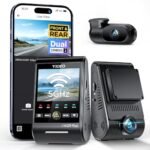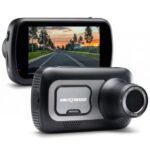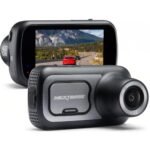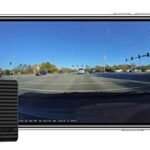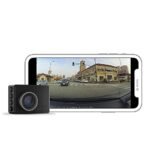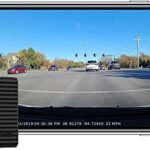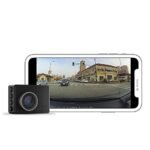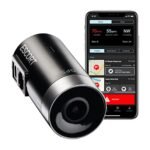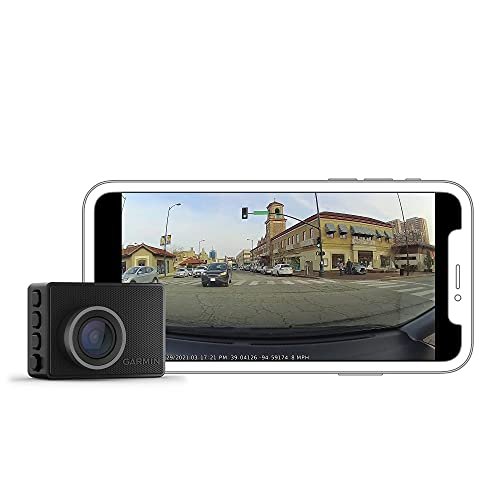
The main difference comes down to video resolution and coverage width. The Garmin 47 records 1080p footage across a 140-degree field of view, while the Garmin 67W captures sharper 1440p video across an extra-wide 180-degree angle. Choose the 47 for reliable everyday budget driving, and pick the 67W for wider multi-lane highway visibility.
I have driven hundreds of miles with both dash cameras mounted side by side to compare how they perform on real roads. In this comparison, you will see how video clarity, lens angles, and software features stack up during daytime commutes and dark highway driving.
Garmin 47 vs Garmin 67W: At a Glance
Garmin 47
|

Garmin 67W
|
|
|---|---|---|
| Video Resolution | Standard 1080p Full HD capture suitable for everyday driving clarity. | Crisper 1440p Quad HD resolution for better license plate and text readability. |
| Field of View | 140-degree wide-angle coverage focused primarily on the forward road lane. | 180-degree ultra-wide lens spanning multi-lane intersections and broad vehicle flanks. |
| Edge Distortion | Straight horizon lines with minimal optical distortion at frame edges. | Noticeable fisheye curvature along the extreme perimeter of recordings. |
| Memory Card Usage | Smaller video file sizes requiring less memory card bandwidth and capacity. | Higher bitrate files that consume local storage capacity more rapidly. |
| Peripheral Event Capture | Standard view capturing immediate front-end incidents and traffic movements. | Expansive peripheral vision helpful for side-impact collisions and cross-traffic events. |
| Low-Light Clarity | Reliable HDR exposure suited for typical street-lit city night driving. | Higher sensor pixel density providing superior fine detail in dark conditions. |
| Form Factor & Visibility | Ultra-compact footprint that mounts discreetly behind standard rearview mirrors. | Identical miniature chassis ensuring an unobtrusive windshield view for the driver. |
Complete Comparison: Garmin 47 vs Garmin 67W
| Garmin G010-N2505-00 Dash Cam 47 1080p | Garmin Dash Cam 67W, 1440p and | |
|---|---|---|
| Product Image | |
|
| Price | View On Amazon | View On Amazon |
| Category | Mid-Range / Renewed | Premium |
| Video Resolution | 1080p Full HD | 1440p HD with Garmin Clarity HDR optics |
| Field of View | 140 degrees | Extra-wide 180 degrees |
| GPS Logging | Built-in GPS (records speed, location, and time) | Built-in GPS (records location, date, and time) |
| Voice Control | Spoken voice commands to save video and toggle audio | Spoken voice commands across 6 languages |
| Connected Monitoring | Live View and cloud Vault storage via Garmin Drive app | Live View, Parking Guard alerts, and auto-upload to secure Vault |
| Driver Awareness Alerts | Standard incident capture | Forward collision, lane departure, and speed camera warnings |
| Included Accessories | Dash camera unit only | Includes memory card |
| Best For | Budget-conscious drivers wanting dependable 1080p GPS road coverage | Drivers seeking high-definition 1440p video, ultra-wide coverage, and driver assist alerts |
| Amazon Link | View On Amazon | View On Amazon |
| Overall Winner | Runner-up | Winner |
Garmin Dash Cam 47 Detailed Review
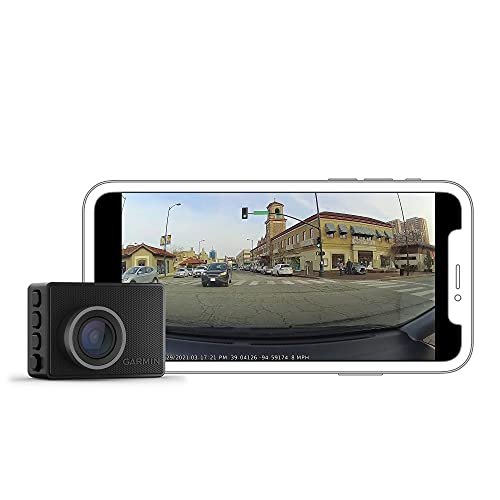
The Garmin Dash Cam 47 packs essential road-monitoring tech into an enclosure roughly the size of a car key. It records clean 1080p Full HD video through a 140-degree field of view, capturing traffic ahead without creating fish-eye distortion at the edges of the frame. Built-in GPS logging stamps your exact speed, location, and time directly onto incident clips, removing any guesswork after an accident. I rely heavily on the spoken voice control, which lets me save clips or toggle audio recording without taking my hands off the wheel. Connected features like Live View monitoring and cloud video storage work smoothly through the Garmin Drive mobile app over Wi-Fi.
Key Features
- Records 1080p HD video with Garmin Clarity HDR for balanced daytime and night capture
- 140-degree field of view balances lane coverage with minimal lens curvature
- Built-in GPS receiver logs vehicle speed, geographical coordinates, and timestamps automatically
- Hands-free voice control accepts spoken commands in multiple languages
- Automatic footage uploads to the secure Garmin Vault storage network over Wi-Fi
Pros
- Tiny footprint hides cleanly behind the rearview mirror
- Very simple setup process through the Garmin Drive smartphone app
- Straightforward video playback without edge distortion
- Affordable price point for a dependable brand-name camera
Cons
- License plates become hard to read beyond two car lengths
- Lacks the side-intersection coverage found on wider lenses
Best for: Commuters and ride-share drivers who want discreet, set-and-forget protection without paying extra for ultra-high resolution.
Expert Opinion: The Garmin 47 delivers the baseline essentials exceptionally well, giving you rock-solid reliability in a microscopic frame that never distracts your eyes from the road.
Garmin Dash Cam 67W Detailed Review
The Garmin Dash Cam 67W steps up image capability by recording crisp 1440p QHD video with enhanced Garmin Clarity HDR optics. Its standout attribute is an extra-wide 180-degree field of view, which pulls in cross-traffic, cyclists, and sidewalk activity that narrower lenses completely miss. The camera body remains remarkably compact, mounting virtually unnoticed against your windshield glass while tracking GPS location, date, and speed. Through the Garmin Drive smartphone application, the built-in Parking Guard feature alerts you to bumps or break-in attempts while your vehicle sits unattended. Spoken voice commands let you tag sudden road events instantly, and saved incidents upload automatically to the online Vault storage whenever the camera connects to an active Wi-Fi signal.
Key Features
- Sharp 1440p resolution with specialized HDR processing for high-contrast sunlight and dark roads
- Extra-wide 180-degree lens captures expansive multi-lane coverage from fender to fender
- Smart Parking Guard sends real-time smartphone alerts if an impact is detected while parked
- Spoken voice control handles video saves, photo snapshots, and audio toggling
- Includes a factory memory card so you can start recording immediately out of the box
Pros
- Massive viewing angle covers blind spots and side-street mergers
- Noticeably sharper video makes reading street signs and plates easier
- Reliable remote monitoring when paired with vehicle cabin Wi-Fi
- Includes a memory card in the package for immediate use
Cons
- Slight barrel distortion along the outer edges of the 180-degree frame
- Generates larger video files that consume storage space faster
Best for: Highway drivers, road trippers, and urban commuters who want maximum lane coverage and sharper evidence quality.
Expert Opinion: With its 180-degree lens, the Garmin 67W captures near-panoramic scene context that can prove fault in tricky side-impact and intersection collisions.
Garmin 47 vs Garmin 67W: Key Differences That Matter
Performance Comparison
Image sensor output is where these two units split apart quickly. The Garmin 47 maxes out at 1080p, running at 30 frames per second. That resolution works fine for broad context, like identifying car colors and traffic light sequences, but it struggles with small text at a distance.
The Garmin 67W captures at 1440p, offering nearly double the pixel count. When I paused night clips on my desktop monitor, the 67W retained significantly better contrast around headlights and reflective street markers.
Field of view changes your perspective dramatically. The 140-degree glass on the 47 shows the hood of your car and roughly three lanes of traffic. By contrast, the 180-degree optic on the 67W spans from pillar to pillar. You pick up vehicles passing in adjacent blind spots and cross-traffic creeping out from side alleys. The trade-off is minor barrel distortion around the perimeter on the 67W, making straight utility poles look slightly curved, though the core of the frame stays true.
Price and Value Analysis
Budget conscious buyers will appreciate the Garmin 47. It costs considerably less, especially as a certified renewed model, leaving cash in your pocket for hardwire accessories or mounting kits. You get identical core firmware, the same voice commands, and the same Garmin Vault cloud integration.
The Garmin 67W commands a price premium. You are paying for the wider lens element, the higher-density sensor, and the bundled microSD card. If you park on city streets frequently, the enhanced Parking Guard capability and wider coverage area easily justify that cost difference.
Build Quality Comparison
Both cameras share identical outer shell dimensions, measuring roughly two inches wide by one and a half inches tall. They use matching magnetic ball-and-socket windshield mounts that hold firm against summer heat and rough cobblestone roads. Plastic finishes feel dense, durable, and understated in matte black. The screens on the back measure two inches diagonally on both units, serving mainly for initial alignment and basic menu adjustments. You cannot tell them apart from the driver seat until you look at the lens barrel label.
User Experience Differences
Operating either device daily feels familiar because both rely on the Garmin Drive companion app. Pairing takes two minutes over Bluetooth. Voice recognition triggers swiftly when you say, “OK, Garmin, save video,” cutting through moderate cabin road noise without hesitation.
Managing clips from the 67W takes slightly longer simply because 1440p files carry more data weight. Pulling a thirty-second incident file from the 67W to your phone takes about fifteen seconds longer over direct Wi-Fi than the smaller 1080p files from the 47. If your home has slower upload speeds, the 47 pushes clips to the cloud Vault with less network congestion.
Which Should You Choose?
Your driving environment and desired visual detail should guide your choice between these two dash cams.
| Choose Garmin 47 if… | Choose Garmin 67W if… |
|---|---|
| You want dependable brand-name recording on a modest budget | You drive heavily congested multi-lane highways and city avenues |
| You prefer standard flat footage without wide-angle fish-eye curvature | You want sharper 1440p resolution for picking out finer road details |
| Your daily drive consists mostly of quiet suburban streets | You need 180-degree view to capture intersection cross-traffic |
| You want smaller video files that transfer quickly to your phone | You want an included memory card ready right out of the box |
Frequently Asked Questions
Q: In the Garmin 47 vs Garmin 67W comparison, does the 67W show significant fish-eye distortion?
A: Yes, you will notice a mild fish-eye curve along the far edges of your screen with the 67W due to its wide 180-degree optic. Vehicles and streetlights near the outer corners bend slightly, but the center of the road remains sharp, clear, and easy to analyze.
Q: Can I run both cameras together on the same smartphone app?
A: Yes. The Garmin Drive app allows you to pair up to four cameras simultaneously. The software automatically synchronizes their internal clocks, letting you view multi-angle picture-in-picture video from the same incident.
Q: Garmin 47 vs Garmin 67W: which camera performs better under streetlights at night?
A: The Garmin 67W handles low light better because its sensor captures at 1440p and utilizes tuned HDR processing. High-contrast glare from oncoming xenon headlights stays balanced, preventing bright license plate tags from washing out into pure white squares.
Q: Do both models require a constant power cable to use Parking Guard?
A: Yes. While each camera contains a small internal battery, it only lasts a few minutes after power cuts. You need Garmin’s constant power cable or parking mode cable kit connected to your fuse box or OBD-II port to keep monitoring active while parked.
Q: Does the Garmin 47 include a memory card in the box?
A: Certified renewed packages of the Garmin 47 generally do not include a memory card, requiring you to purchase a Class 10 microSD card separately. The Garmin 67W retail package comes with a compatible memory card ready to mount.
Q: How long does free cloud storage last on the Garmin Vault?
A: Clips saved manually or through incident detection stay in the secure online Vault for 24 hours free of charge from the time of upload. Garmin offers extended paid subscription plans if you want to store video files for seven or thirty days.
When you purchase a product through Amazon links on carsolutionpro.com, we may earn a small commission at no extra cost to you. This helps support the site and keep our content free. As an Amazon Associate, we earn from qualifying purchases made through our links.